Patch notes · v0.2.0
InstantClone 0.2.0: One‑click OBS setup and stable Integrations and Streamlabs
Released
Hi, s1moscs here!
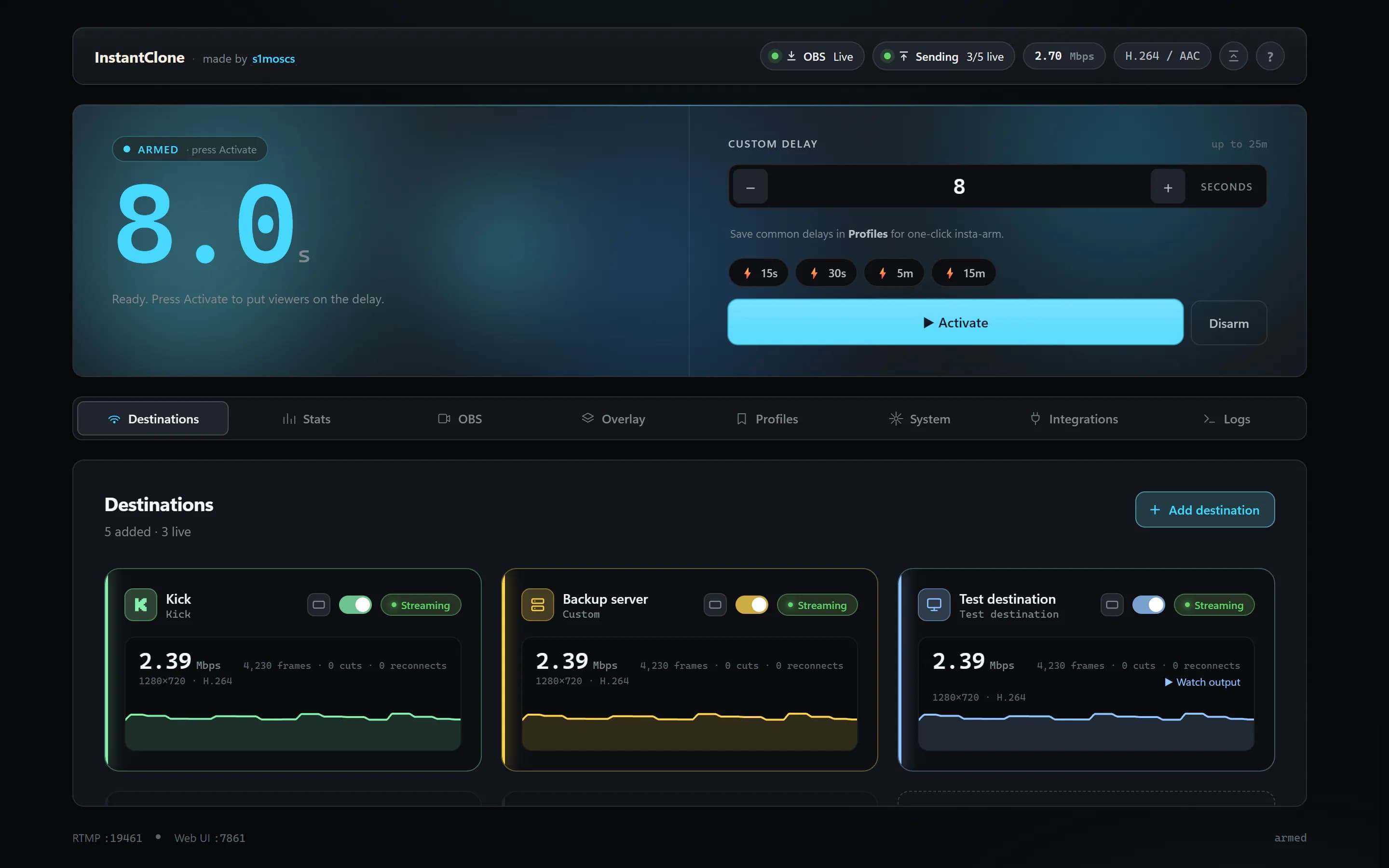
No big new feature this time, on purpose. I watched someone set up InstantClone for the very first time, with no help from me, and wrote down every place she got stuck. 0.2.0 is that list, fixed, plus everything that was still marked "experimental" tested live until it no longer needed the label.
📺 New tutorial: Set up InstantClone in a few minutes, recorded on this version. Spanish or English audio, with subtitles.
| What you get | |
|---|---|
| 🔑 Twitch key in one click | Approve once on twitch.tv, the key fills in by itself |
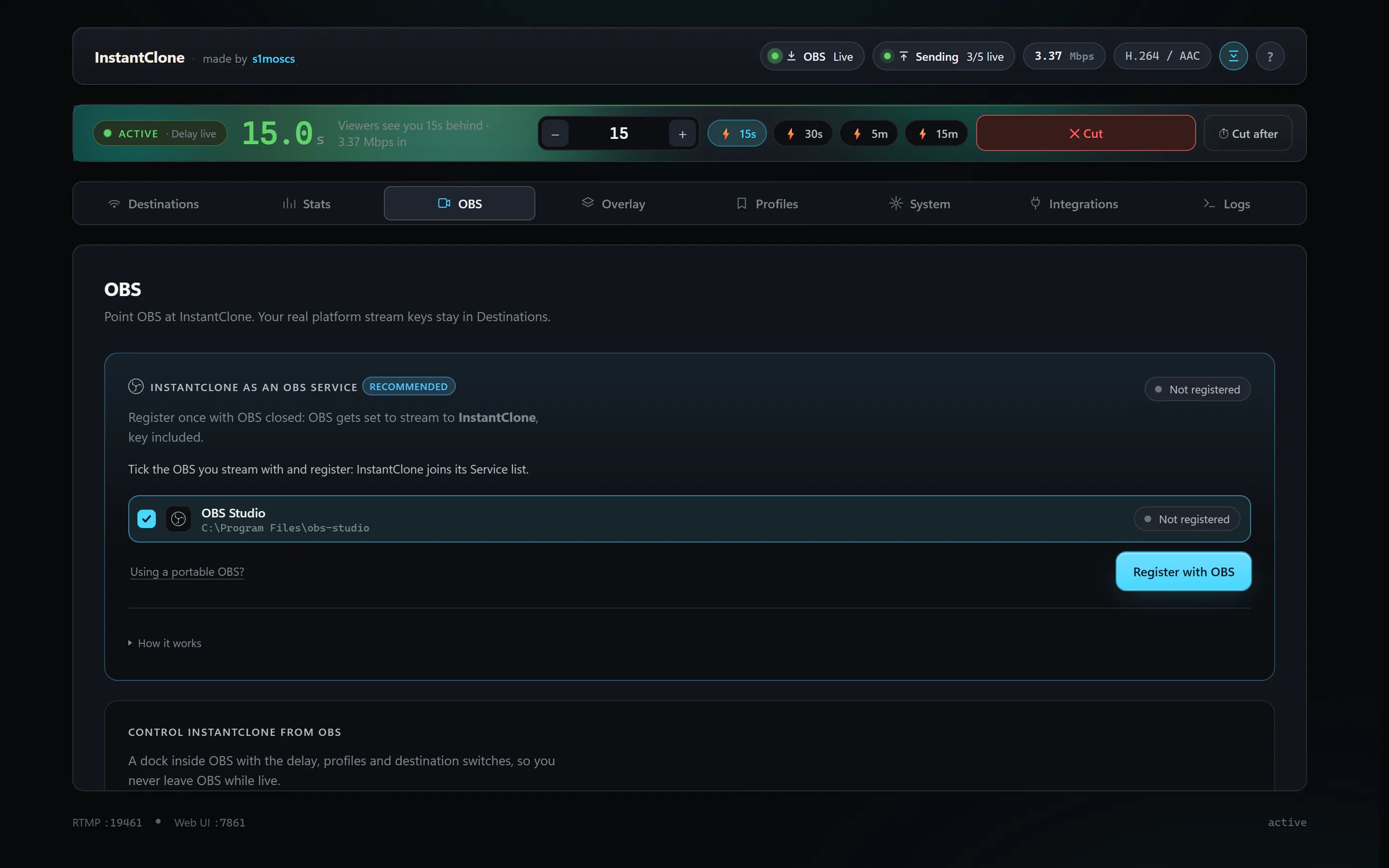
| 🎛 OBS set up for you | Register with OBS and its profile already streams to InstantClone |
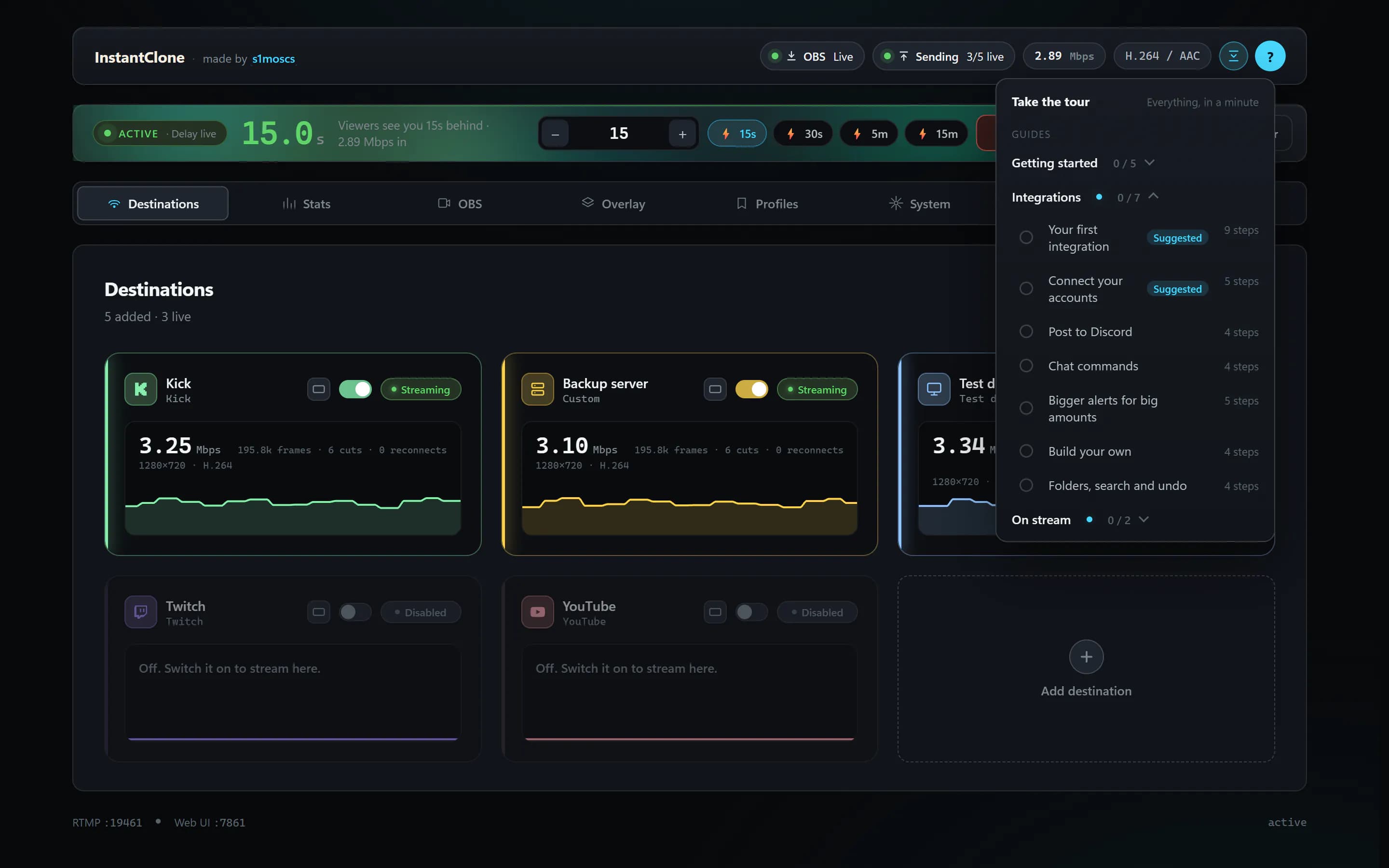
| 🧭 Guides | Quick guides in three folders, that know your setup |
| 🧩 Integrations | No longer experimental, starter packs, undo and redo |
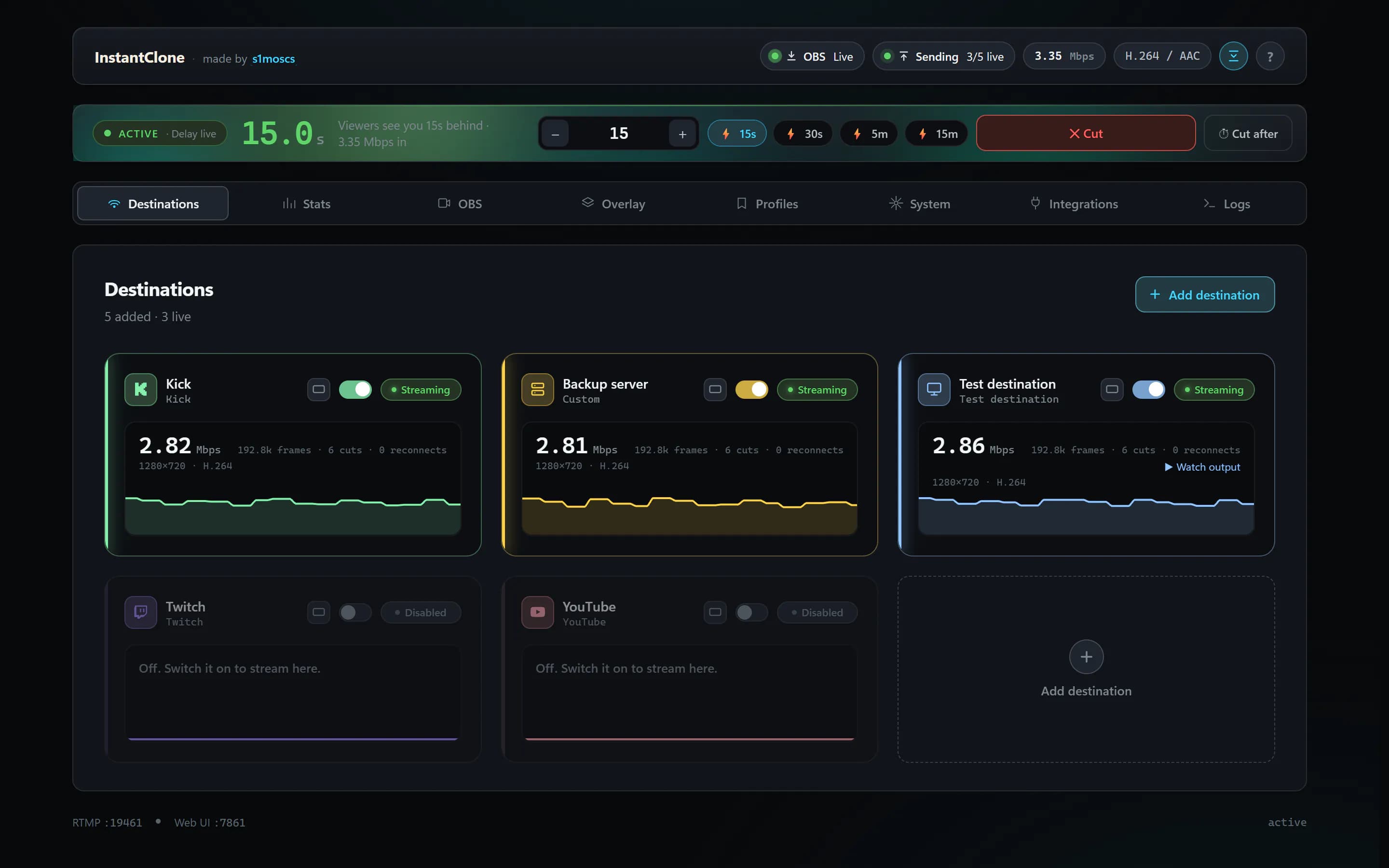
| ⚡ Lighter while live | The OBS dock went from 116 to 2 ms of work a second |
🔑 A friendlier first run
- Get my key from Twitch. Approve once on twitch.tv and your stream key goes straight into your Twitch destination, nothing to copy. The same approval connects Twitch in Integrations too.
- OBS is set up for you. Registering with OBS (closed) also switches its current profile to stream to InstantClone, key included. Your old stream settings are kept, and Unregister puts them back.
- A VOD audio guide, step by step: download the script, add it to OBS, check it. It remembers where you got to.
🧭 Guides that know your setup
- The ? button opens the tour and quick guides in three folders: Getting started, Integrations and On stream. It ticks the ones you finish and marks the one that fits you now as Suggested.
- Guides skip what doesn't apply. Steps for things you haven't added are skipped, and "Add your first integration" becomes "Add another integration" once you have some.
- A guiding trail flies from where you are looking to the next control.
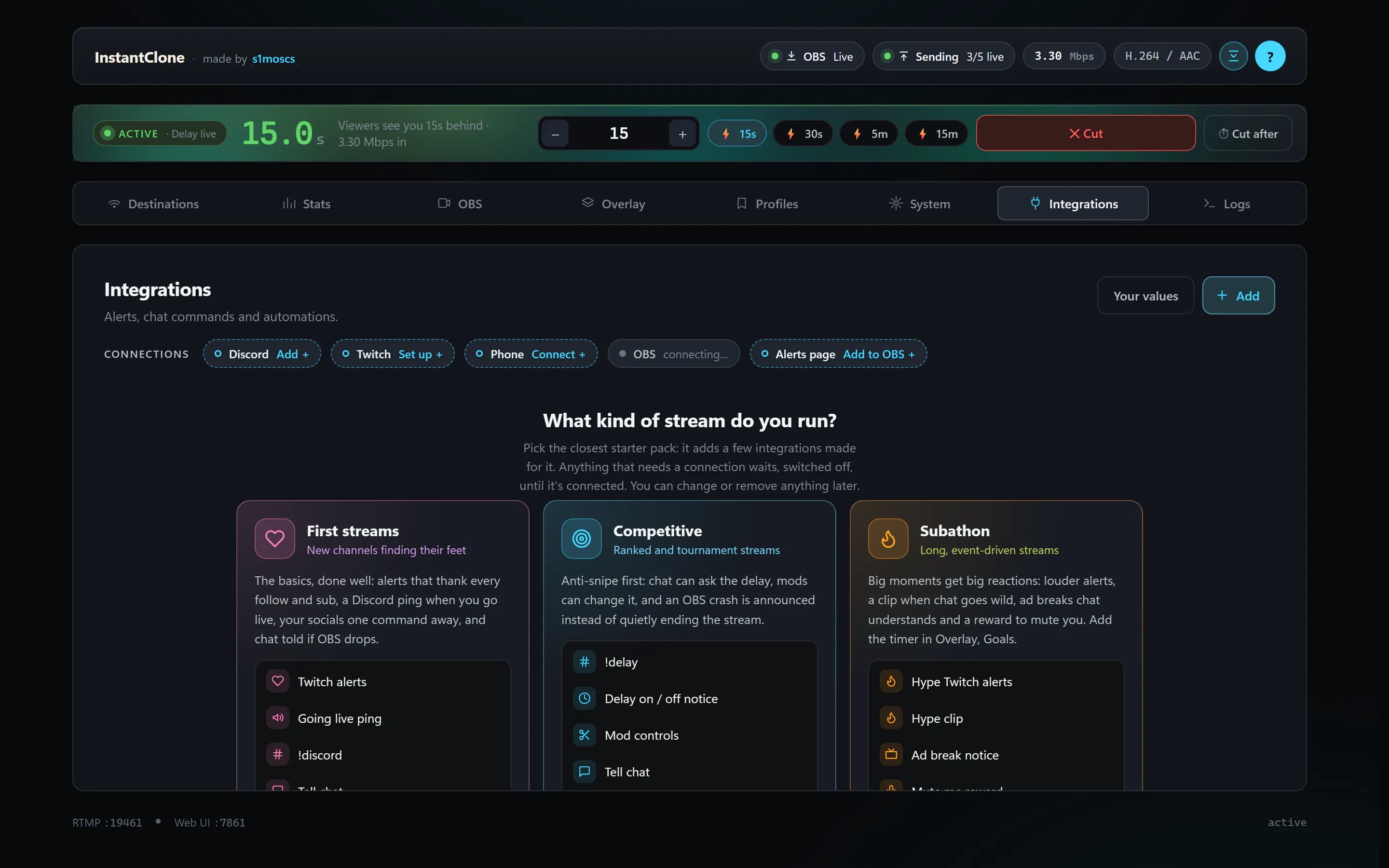
🧩 Integrations, no longer experimental
A full live pass on a real Twitch channel: 27 runs, a real OBS crash included, none failed.
- Starter packs for the kind of stream you run: First streams, Competitive, Subathon and Community hub.
- New presets that replace Streamer.bot actions: an Ad break notice (chat hears how long the ad lasts, then "We're back!") and Mute me (a channel point reward mutes your mic for 10 seconds, shown on stream).
- Undo and redo in every editor: Ctrl+Z, Ctrl+Shift+Z or Ctrl+Y. A deleted moment, step, trigger, integration, destination or profile comes back from its toast.
- Alert levels: a second, bigger alert for big amounts of bits, resub months, gifted subs and raids.
- A clearer editor with numbered sections, and moments as chips with their own switch.
🎛 Streamlabs Desktop, no longer experimental
After a live pass: Go Live through InstantClone with the delay, cut, stop and disconnect all work. The OBS tab now starts with your streaming apps, then the dock, chat and recommended settings.
⚡ Lighter while you're live
Measured with a stream running:
| Before | Now (ms of work a second) | |
|---|---|---|
| OBS dock | 116 | 2 |
| Dashboard | 99 | 15 |
| Studio | 143 | 11 |
The dashboard and the dock also use your system fonts now, so nothing is fetched from Google when they open.
🛠 Smaller things and fixes
- The crash preview moves frame for frame as viewers see it.
- The header stays on one line while live, and the compact delay panel is the default on short windows and phones.
- Spanish: a full sweep with consistent words (crasheo, caída, en directo).
- The Twitch stream key link opens your own Creator Dashboard instead of Access denied.
- The built-in test server closes when the app is killed, so its ports are free on the next start.
The full list is in the changelog.
⬆️ Updating
Same as always: the update prompt picks it up, and your settings, destinations, integrations and overlays come along. Nothing to redo.
❤️ Thanks
Thanks @mxgic1337 for reporting the broken Twitch key link and sending a fix (#93). And to everyone who runs InstantClone, reports a bug or asks for something: thank you. Keep them coming on GitHub or Discussions.
InstantClone is open source and the build isn't code-signed, so Windows Defender may show a false positive on first download OR even block it. You can verify the file against
SHA256SUMS.txt, scan it on VirusTotal, or build it yourself.